Finally. Playout software that feels like second nature.

Playlist, cart wall, mic, segues, voice tracking & one-click streaming.
In your browser. Nothing to install.

Big Hits Radio
Connected
15:28:03
PLAYLIST
CLEAR ALL
Players
Library
More
CURRENT TRACK
PLAYING
Billie Eilish
INOUT
ELAPSED 01:21END -02:09
100
Edit segue
UP NEXT
Olivia Rodrigo
AUTO OFF
MICROPHONE
OFF
78%
GAIN
DUCK LEVEL20%
TALKOVER ▥  MIC ENHANCER   ON
INVITE CALLER
CART WALL
PREVIEW
AUTO DUCK

A green tick mark.
Windows and Mac Compatible.
A green tick mark.
Music, mic and transitions in one place.
A green tick mark.
Stream live to any radio hosting platform.
01 / HOW IT WORKS

Introducing a no hassle way to host your live radio show.

Playout is everything a presenter needs in one browser tab and it works with your existing cloud radio provider.
PLAYLISTS & AUTOFILL

Know what’s playing. Decide what’s next.

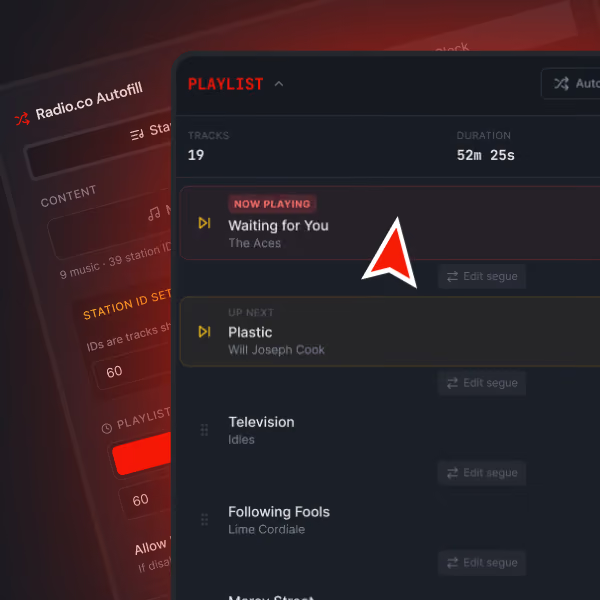
Queue music and production audio into a live playlist, reorder the show on the fly, or let autofill build a queue, so you spend less time guessing and more time hosting.
Red checkmark inside a pale pink circle.
Upload your library direct to Playout and drag and drop your audio files into playlist to curate the show yourself.
Red checkmark inside a pale pink circle.
Or use Autofill to get started and know your slot's covered, with options to finesse it further.
Digital music playlist interface showing 19 tracks with a total duration of 52 minutes and 25 seconds, highlighting 'Waiting for You' by The Aces as now playing, followed by 'Plastic' by Will Joseph Cook as up next, along with other songs like 'Television' by Idles and 'Following Fools' by Lime Cordiale, against a dark red and black themed background.
CART WALL
00:00
Airhorn
00:00
By Radio.co
00:00
Cheering & Clapping
00:00
Wow!
Handwritten-style text in pink reading 'try it' with an upward right curved arrow extending from the text's upper right.
CARTWALL

Your station’s personality.
On cue.

Keep jingles, station IDs and effects on a customisable 20-tile cart wall. Preview privately, then trigger—with optional music ducking.
Red checkmark inside a pale pink circle.
Rename carts and assign them colours in a way that makes sense to you.
Red checkmark inside a pale pink circle.
Set carts to fire how you want (Play/Pause, Play/Stop, Loop, Restart) or assign them to MIDI control.
MIC & TALKOVER

Mic live.

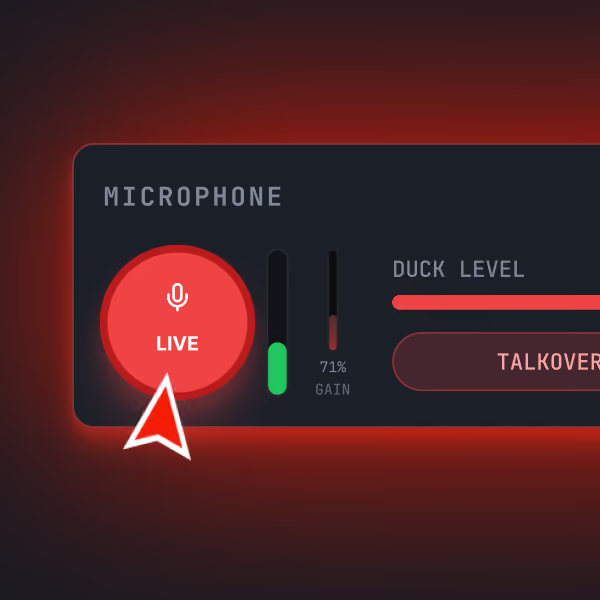
Choose your connected USB microphone or audio device, manage your levels and use talk-over to lower the music when you speak on mic. Your voice deserves the floor.
Red checkmark inside a pale pink circle.
Monitor mic levels with the real-time VU meter and adjust levels to avoid distortion.
Red checkmark inside a pale pink circle.
In-built mic processing gives you that true radio voice sound. Leveling and compression keep you sounding crystal clear on air.
Close-up of a microphone control panel showing a large red circular button labeled 'LIVE' with a microphone icon, two vertical sliders indicating levels, one labeled '71% GAIN,' and a horizontal bar labeled 'DUCK LEVEL' with a partially filled red indicator and a button labeled 'TALKOVER.'
SEGUE EDITOR & VOICE TRACKING

Perfect your transitions.
Sound live, anywhere.

Preview your segues, adjust overlap, and refine fade timings to ensure smooth transitions.
Record or drop in voice clips, and position them precisely around your crossfades to create fully automated, tight-sounding links.
PRO

Take your playout further with Pro

Standard covers the essentials. When you're ready to do more, Pro adds powerful ways to record, bring guests into shows, and connect your setup.
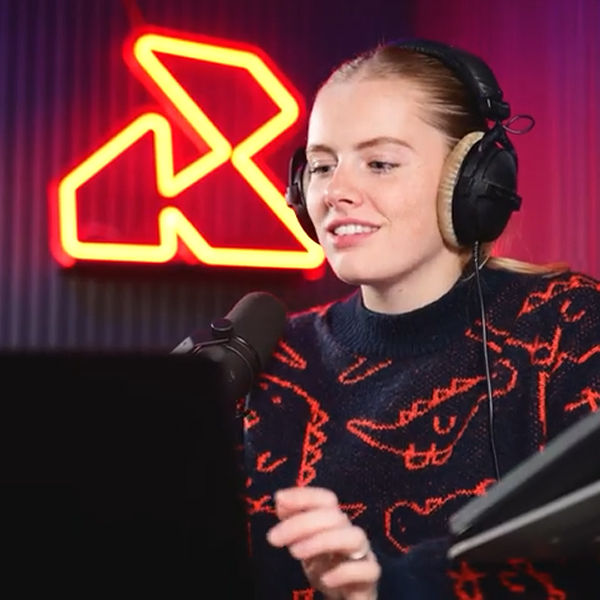
A woman wearing large over-ear headphones and a dark sweater with orange crocodile patterns speaks into a microphone, with a red neon abstract logo glowing on the ribbed wall behind her.
RECORD YOUR SHOWS
PRO

Pre-Record your show.

Capture your full master mix automatically in high quality, archive past shows, and access previous recordings instantly whenever you need them.
Red tick icon.
192kbps (MP3) recording so your on-demand version sounds as crisp as the live original.
Red tick icon.
One click records, saves and stores your show within Playout. Ready for when you need it and keeping your local storage free.
MIDI CONTROL
PRO

Remote control

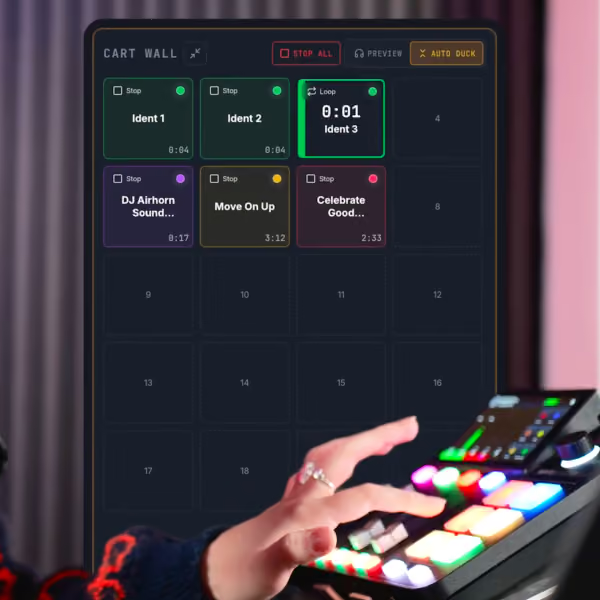
Seamlessly bring together your hardware and your digital files. Map your mixer to Playout using MIDI and have instant playback and cart triggers at your fingertips.
Red tick icon.
Run your show through your mixer and control Playout through your faders and buttons.
Red tick icon.
Compatible with common mixing consoles including the RODECaster, Mackie DLZ and D&R Airmate.
Hand interacting with a mixing console featuring colorful illuminated buttons and a screen showing a cart wall interface with audio tracks labeled Ident 1, Ident 2, Ident 3, DJ Airhorn Sound, Move On Up, and Celebrate Good, some playing or looping with timers.
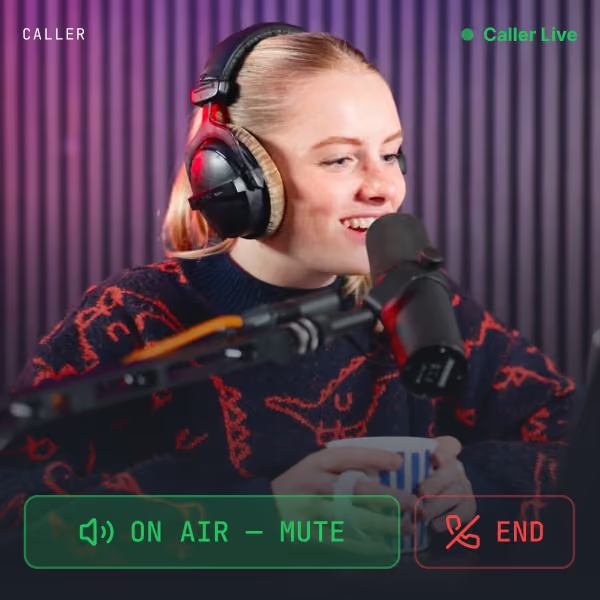
A woman wearing headphones with plush ear covers speaking into a microphone, smiling, and holding a striped mug, with a background of vertical purple acoustic panels; on-screen overlay shows she is a live caller with options to mute on air or end the call.
RECORD YOUR SHOWS
PRO

Co-host & Callers

Joining the conversation couldn't be simpler. Share an invite link with your co-host, guest or live-callers, and they can join the show from their own browser. No special tech required or number to call.
Red tick icon.
Co-hosts, guests and live-callers can use the tech they already have: their internet browser and an in-built or connected mic.
Red tick icon.
Bring To Air and End Call buttons keep you in control of when your guests contribute and when that ends.
FEATURES

Everything you need to run the show.

Bring the streaming setup you already have. Playout takes care of the show itself.

Works on any computer

Playout runs in your internet browser, so you can use it on your Mac, Windows or Linux machine.

Autofill

Set a target duration or clock sequence, and let Playout generate a playlist for you.

Segue editor

Fine-tune transitions with waveforms, cues, fades and private previews.

Cartwall

Bring station IDs, jingles and sound effects to life instantly.

Mic & talkover

Speak over the music with automatic ducking and voice enhancement.

Voicetracking

Record or add voice clips and position them around your transitions.

Audio Processing

Tune your stations sound with options for clearer voice, more rounded music or loud & aggressive.

Record your shows PRO

Capture the programme mix and access previous recordings.

MIDI remote control PRO

Map touch pads using MIDI. Instant playback & cartwall at your fingertips.

Co-host & Callers PRO

Invite your co-host, guest or live-callers, and have them join from their own browser.

BROADCAST YOUR WAY

Keep your current streaming provider, or host your station with us.

Playout doesn't require you to move providers. Start with the streaming service you already have.
ONE CLICK LIVE STREAMING

Connect to your existing stream

Connect the stream you already use via SHOUTcast or Icecast, then take your show live from the Playout studio.

Compatible with all major radio platforms. Live365, RadioKing, RadioCult & More.

PLAYOUT PRO

Playout-hosted streaming

Don't have a streaming destination? Use our optional hosted streaming service and listener URLs.

Playout Pro only.
Modern podcast or radio recording setup with a black and red lit backdrop featuring a neon 'R' sign, a microphone on an adjustable arm, headphones, a compact keyboard, a mouse, a plant, a notebook, and a small lamp on a wooden desk.
TRY PLAYOUT

Start your 14-day trial, no card required.

Join over 700 stations already using Playout.
Try for free. No card required.
Sign Up

Standard

Everything you need to run the show.
$19.95
billed monthly
or
$199
billed annually
Red tick icon.
Playout Desktop Studio
Red tick icon.
Cart Wall
Red tick icon.
Segue & Voice Track Editor
Red tick icon.
External Streaming (Shoutcast/Icecast)
Red tick icon.
250GB Media Storage

Pro

Pre-record and invite guests on air.
$29.95
per month
or
$299
billed annually
Red tick icon.
Everything in Standard
Red tick icon.
Hosted Streaming & Listen Links
Red tick icon.
Show Recording
Red tick icon.
Co-Host & Call-In Capability
Red tick icon.
External Mixer & MIDI Controls
Red tick icon.
Unlimited Storage*
* Pro storage is subject to a fair usage policy. Prices are shown in USD, applicable taxes and billing details are confirmed at checkout.
A green tick mark.
Cancel Anytime
A green tick mark.
No Card Required
A green tick mark.
Secure Stripe Checkout
FAQS

Frequently Asked Questions

Here are quick answers to all your questions about Playout. Still need some help?
‍Get in touch

What is Playout?
A red plus symbol.

Playout, also known as Playout.co, is a browser-based live radio production desk by Radio.co. It lets you create professional live shows - including ordering & playing audio, firing carts, talking on mic and editing transitions - and stream them to your online station. It works with any radio hosting platform.

Do I need to install any broadcasting software?
A red plus symbol.

No. Playout runs in your web browser. There’s no broadcasting software or app you need to download. You just need a compatible desktop browser (e.g. Chrome, Microsoft Edge) and any audio equipment you want to use, such as a microphone or audio interface.

Do I need a Radio.co account to use Playout?
A red plus symbol.

No, you don't need a Radio.co account to use Playout. You can use Playout as a standalone tool with plans starting from $19.95 per month. Alternatively, Playout is included in all Radio.co Standard and above plans.

Who can access Playout?
A red plus symbol.

All online broadcasters can use Playout as a standalone tool. Radio.co clients on Standard and above plans have Playout included in their subscriptions.  

How does going live with Playout work?
A red plus symbol.

Go to Settings> Station Settings and paste in your stream connection details from your radio hosting provider and hit save.

For Radio.co clients, you simply select your Radio.co station, prepare your show, and click Go Live when you’re ready to broadcast.
‍
Once Playout is live, the programme you create, including music, microphone, audio and carts, is sent to your station for your listeners to hear.

Can I use my existing Radio.co music and media?
A red plus symbol.

For Radio.co clients, Playout connects to your Radio.co media library, so you can use your existing tracks, tags, and production audio when preparing a live show.

For standalone users, Playout only uses the audio you upload to it.

Can I use Playout alongside Radio.co's automated scheduling?
A red plus symbol.

Yes. Radio.co Studio can continue to handle your automated station schedule, while Playout is designed for the moments when you want to take over and present a show live. Both work with the same Radio.co station.

Make your next
show your best one.

Build your playlist, take control of the mix and go live
with the streaming setup you already have.
No card required · Watermarked trial broadcasts · Music and licences not included